ZTE C300 / C320
Also C350 and C220. Configure boards, management IP, gateway and access credentials.
Connect your OLT to SmartOLT, keep its firmware up to date and integrate your own tools.
Try an equipment name such as Huawei or ZTE, or a topic such as VPN, TR-069 or API.
Show all guidesConnect your OLT to SmartOLT in two steps.
Choose your OLT model.
Also C350 and C220. Configure boards, management IP, gateway and access credentials.
C6xx Titan. Set up console access, management connectivity, authentication and Telnet.
Any model. Confirm boards, configure management connectivity and enable Telnet and SNMP.
GPON OLTs such as the V1600G series and V1600GT. Set the management IP, the SmartOLT user and the login access list.
AN6000 and AN6001 series. Set the management IP and VLAN, the default route and the SmartOLT user.
Choose one connection method.
Recommended
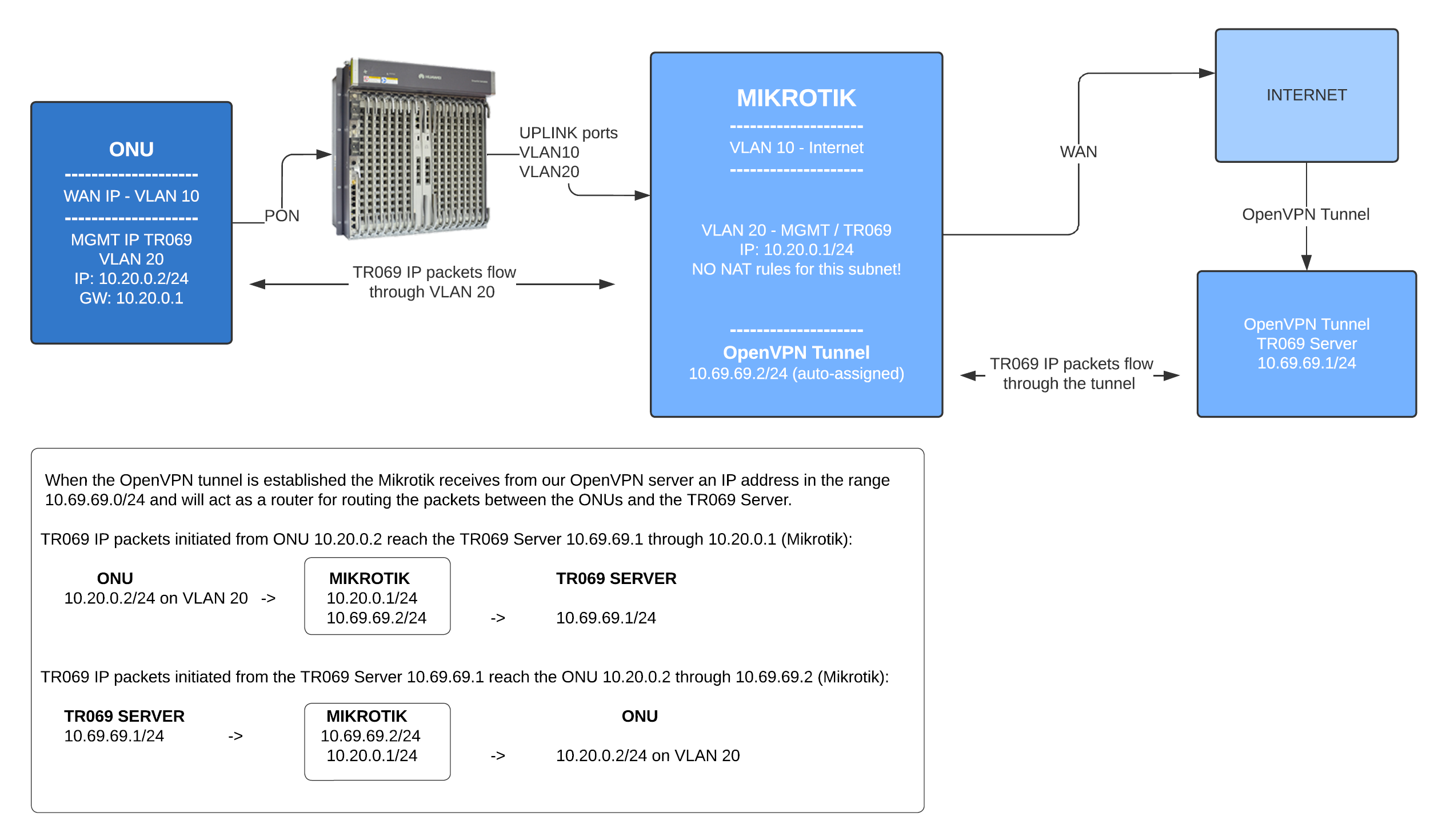
An encrypted tunnel between your MikroTik router and SmartOLT. Required for TR-069, SNMP traps and IPv6 on ONUs. No public IP needed.
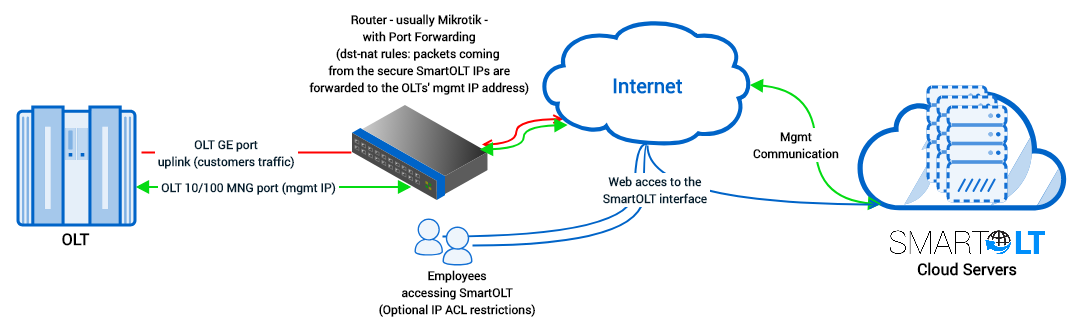
Forward OLT access from your router's public IP. Requires a public IP address. TR-069 and SNMP traps are not available.
Upgrade your OLTs step by step, with backups and validation.
From R011–R017 to R018C10, with configuration backup, firmware transfer and post-upgrade steps.
From 1.2.x to 2.1.0, including backups, card boot updates, patches and validation.
Plan the optical budget before the build starts.
Field-tested attenuation values, three mistakes worth avoiding, and a calculator for splitter and fibre losses.
Connect SmartOLT to your CRM and other tools.
Endpoints for OLT and ONU monitoring, provisioning and configuration.