Connection Setup Instructions

Setup port forwarding using Mikrotik router
We recommend using the VPN tunnel method whenever possible.
| VPN tunnel recommended | Port forwarding | |
|---|---|---|
| ONU statuses updated | Every 1 minute | Every 7 minutes |
| Security | Maximum — all traffic encrypted | Low — Telnet and SNMP exposed on the public internet |
| Public IP address | Not required | Required (static, or dynamic + Cloud DDNS) |
| TR-069 ONT management | Available | Not available |
| Dual stack IPv4+IPv6 on ONTs | Available through TR-069 | Not available |
| OLT SNMP traps monitoring | Yes | No |
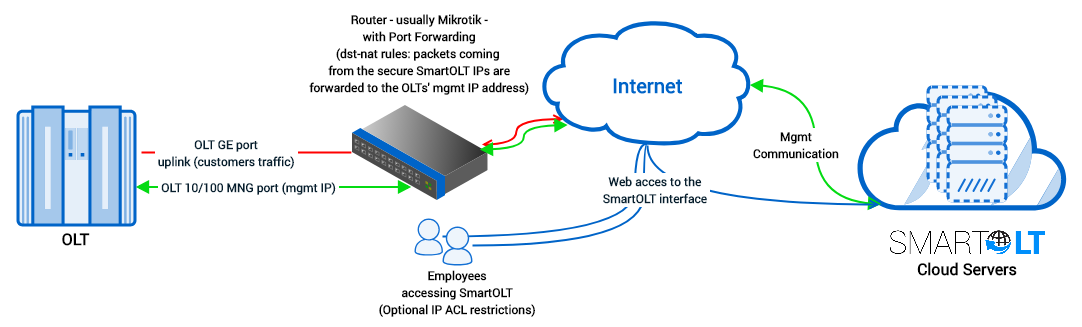
The port forwarding procedure is to create one secure access-list named "SmartOLT" which includes your SmartOLT domain (the IP gets autoresolved) that will be permitted to communicate with the OLTs.
Fill in the two fields below and every command is generated for your setup. The values you may need to change are highlighted in blue.
1Create an address-list with SmartOLT servers
The address you use to log in to your panel.
/ip firewall address-list add address=yourcompany.smartolt.com list=SmartOLT
If you are not using Mikrotik, please contact support for the complete list of IPs to be allowed.
2Set up port forwarding
For packets received from source-address-list SmartOLT the action will be dst-nat to the OLT private IP address.
To use more OLTs on the same public IP address, increment each external port (Ex. for OLT2: 2334, 2323, 2162).
The private IP of the OLT, as reachable from the router.
/ip firewall nat add action=dst-nat chain=dstnat dst-port=2333 protocol=tcp src-address-list=SmartOLT to-addresses=192.168.200.2 to-ports=23 comment=SmartOLT

/ip firewall nat add action=dst-nat chain=dstnat dst-port=2322 protocol=tcp src-address-list=SmartOLT to-addresses=192.168.200.2 to-ports=22 comment=SmartOLT

/ip firewall nat add action=dst-nat chain=dstnat dst-port=2161 protocol=udp src-address-list=SmartOLT to-addresses=192.168.200.2 to-ports=161 comment=SmartOLT
3Allow the OLT to contact SmartOLT servers
/ip firewall nat add action=masquerade chain=srcnat dst-address-list=SmartOLT comment=SmartOLT
Huawei & ZTE OLTs
-
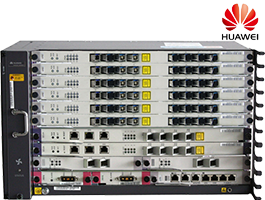
- Huawei MA56xx/58xx series, EA series
- All firmware editions R009 -> R025+




-
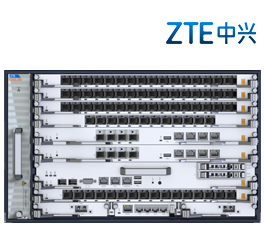
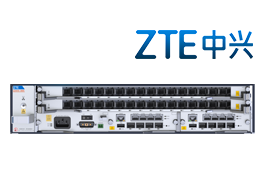
- ZTE C6xx series
- All firmware versions
-
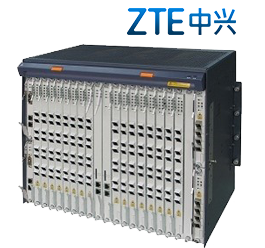
- ZTE C3xx series
- All firmware versions v1.2.x, v2.0.x, v2.1.x
-
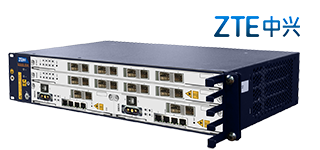
- ZTE C2xx series
- All firmware versions